Windows companion
Extract documents with local AI on Windows using Ollama



- Document
- Browser-only invoice.pdf
- Processing route
- Signed companion → local Ollama
Run local Ollama document extraction and image OCR on your Windows PC. Connect the companion to your web workspace, review PDF fields and image data, then export checked results.

Get Dynamite Docs for Windows
The Windows companion connects your Dynamite Docs workspace to a local Ollama model. Install Ollama and a suitable model separately, then connect through AI Settings. A Dynamite Docs account and an eligible plan are required for local processing.

Ollama PDF and image OCR on Windows
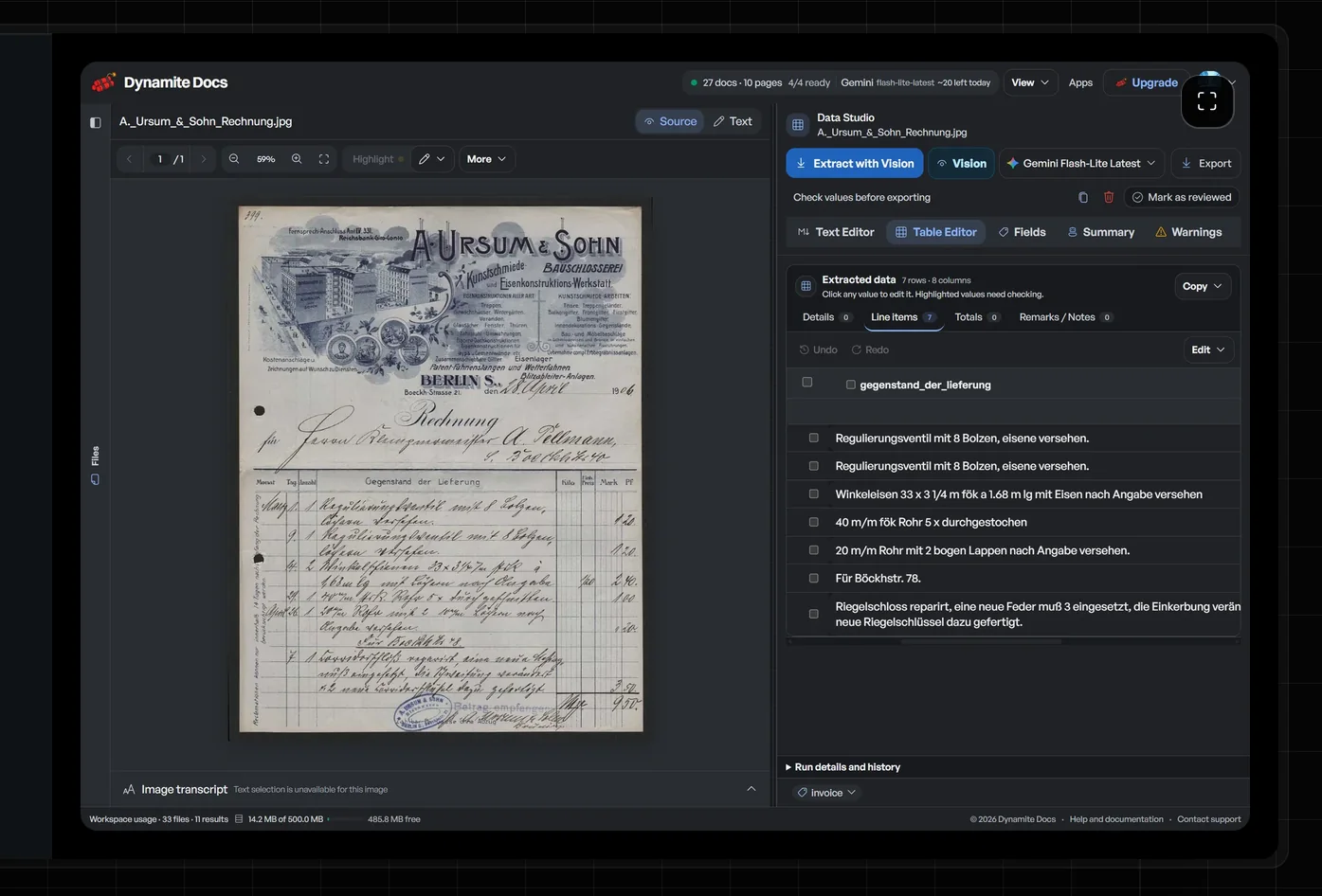
Use a compatible Ollama vision model to extract fields and tables from scanned PDFs, document photos and screenshots. Local AI OCR runs on your Windows PC; review and corrections take place in the web workspace. Export checked rows as Excel, CSV or JSON.
Keep the Windows companion and Ollama running while you use local extraction. Import, source review, corrections, and exports take place in your browser workspace.
Install the companion from Microsoft Store, then open Dynamite Docs in your browser. Choose a local model in AI Settings and review the results beside the source. Follow the local Ollama OCR setup guide for PDF and image preparation, model selection and processing boundaries.
Internet access and sign-in
Internet access is required for the web workspace, sign-in, and account services. Ollama model inference runs locally on your PC. Download Ollama and your chosen model separately.
Sign in to Dynamite Docs in your browser. On an eligible plan, open AI Settings and connect the local companion to select an Ollama model.
Browser extensions for Chrome and Firefox
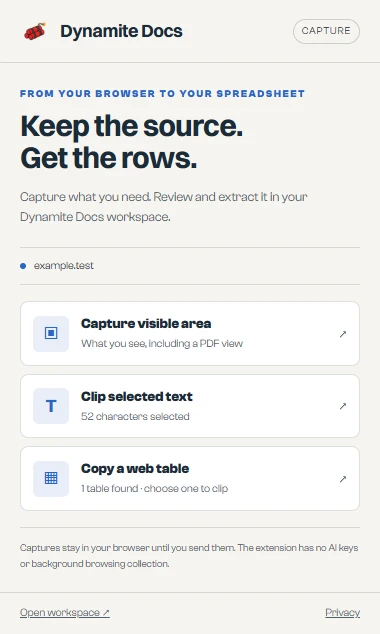
Capture in Chrome or Firefox. Review in Dynamite Docs.
Capture the visible part of a page or PDF, clip selected text, or copy a web table. Preview the capture, then import it into your workspace to extract fields and rows.
Choose your extraction model in the web app, check the result beside the source, then export to Excel, CSV or JSON. Normal account and plan limits apply.
 Add to Chrome
 Add to Firefox
The extension accesses the current page when you open it. Captures stay in browser memory until you send or download them. It does not collect browsing history or store AI keys. Workspace imports check files through our server; cloud storage and AI processing follow your workspace choices. Read the privacy policy.
Install, connect, and extract
Install DynamiteDocs by SevenOneLabs from Microsoft Store. Install Ollama and a suitable model separately. Start both, then sign in to your web workspace and open AI Settings to connect Ollama.
Local Ollama processing
The local extraction service binds to 127.0.0.1:8756 and sends model work to Ollama at 127.0.0.1:11434. It validates a short-lived sign-in token with Dynamite Docs and does not send document bytes to a hosted AI provider. Choose local inference and browser-only file storage to keep source files on your computer. Review our security boundaries and private document AI controls.
You need a 64-bit Windows 10 or Windows 11 PC and internet access for the app workspace. Local inference also requires Ollama installed and running, and a Dynamite Docs Starter, Pro, or Scale plan.
Uninstall the companion
Open Windows Settings, choose Apps, then Installed apps. Find DynamiteDocs and select Uninstall. Your Ollama installation and models are separate.
Related guides and documentation
- Local Document AI Guide: Architecture, loopback boundaries, and hardware sizing for local vision models.
- AI Keys & Companion Setup: Connect the companion app, issue signed local tokens, and configure models in the workspace.
- Compare AI Providers & BYOK: Compare 100% on-device local execution against hosted models and cloud BYOK keys.
- Local Extraction Troubleshooting: Resolve companion connection errors and port 8756 or 11434 conflicts.
- Private Document AI Controls: Review data residency, HIPAA and client NDA safeguards, and zero-retention policies.
- Plans & Processing Limits: Compare Starter, Pro, and Scale plan capabilities for unlimited local companion inference.
- 01Install from Microsoft Store
- 02Connect to Ollama
- 03Review in your browser
- Document
- Browser-only invoice.pdf
- Processing route
- Signed companion → local Ollama
- Result
- Editable fields in your browser workspace