Run self-hosted n8n workflows for AI document extraction


- Trigger
- extraction.completed → Webhook node
- Payload
- columns, rows, metadata, confidence
IN + OUT: /api/webhooks, POST /api/v1/infer
Content reviewed .
Build an n8n document extraction workflow without moving the automation layer to a hosted platform. An HTTP Request node submits files with a scoped API key. A Webhook node receives the signed extraction.completed event, and your own n8n instance decides where the reviewed data goes next.
Open this integration in the app or read the public API and webhook guide.
Keep the automation graph on your infrastructure
- Some teams keep automation inside their own infrastructure for data-residency or policy reasons. A cloud workflow tool is off the table.
- A connector that only exists as a hosted app cannot be wired into a self-hosted node graph.
- Data that leaves the network just to be re-routed is a privacy and latency problem no one asked for.
- Self-hosting only helps when the connected service exposes documented webhooks and API calls that the workflow can use.
How the n8n connection works
01. Expose an n8n Webhook node
In your n8n instance, add a Webhook node (POST) and note its public URL. If the instance is not publicly reachable, expose the webhook via a tunnel or reverse proxy.
02. Register it as a Dynamite Docs webhook
Add that URL as a webhook endpoint in Dynamite Docs. The endpoint must pass the public-URL SSRF guard, and payloads arrive signed with HMAC-SHA256.
03. Build the workflow
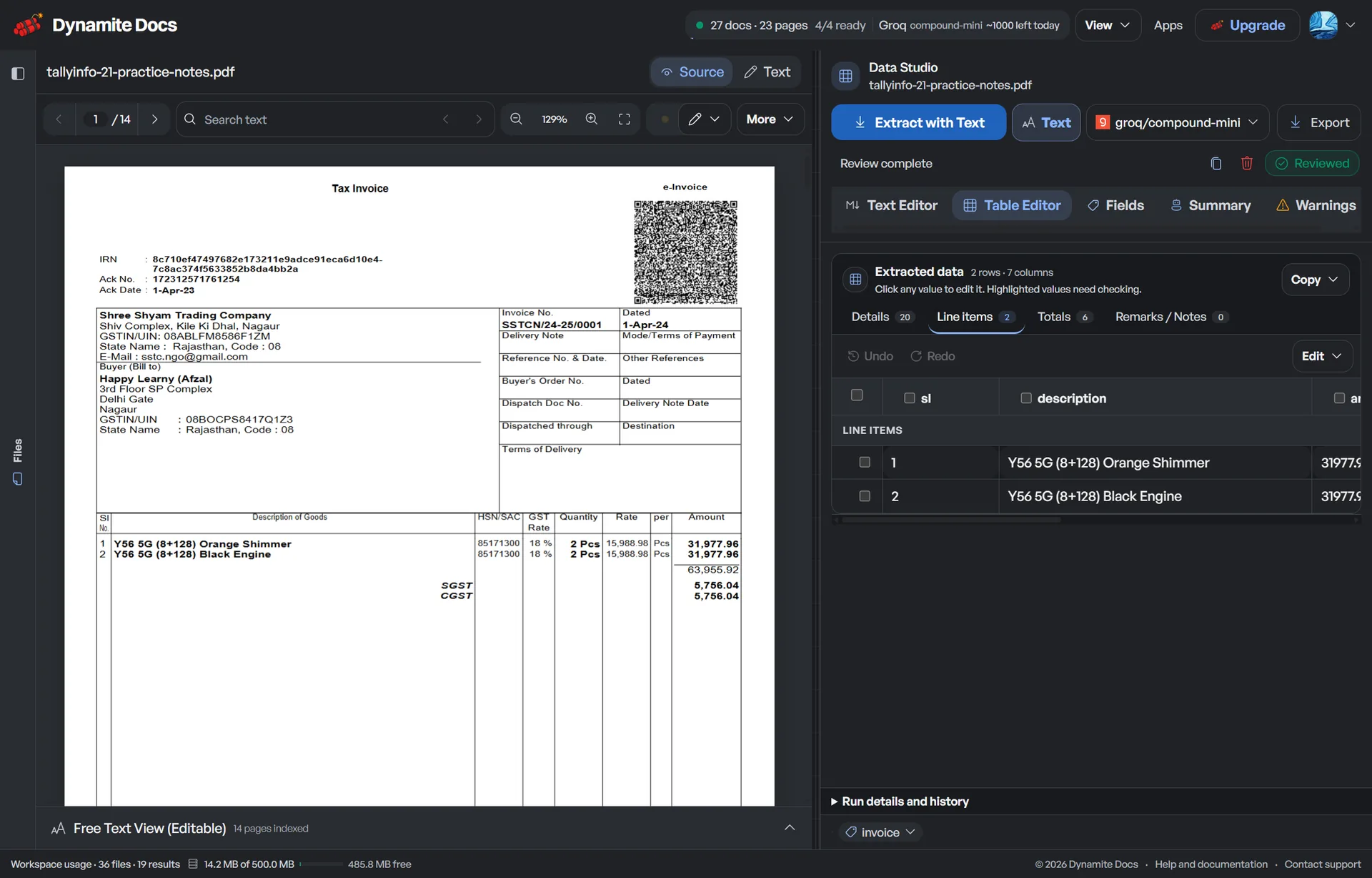
n8n parses the payload, columns, rows, metadata, and confidence, and you wire the next nodes, a database write or a file move.
04. Call the API from n8n
For the IN direction, an HTTP Request node POSTs a file to /api/v1/infer with a scoped key and the workflow consumes the structured response.
n8n nodes and delivery behavior
The self-hosted workflow uses these inputs and checks:
- Trigger: extraction.completed → Webhook node
- Payload: columns, rows, metadata, confidence
- Signature: HMAC-SHA256 (X-Dynamite-Signature)
- Send documents in: POST /api/v1/infer with a key
- Runs: inside your n8n instance
- Retries: backoff + jitter, up to 3 attempts
A realistic example
An audit-evidence workflow in self-hosted n8n:
| Step | Node | What happens |
|---|---|---|
| Trigger | Webhook (POST) | Receives extraction.completed from Dynamite Docs |
| Filter | IF node | Keeps documents above the confidence threshold |
| Store | Postgres insert | Writes rows into the internal evidence table |
| Archive | File move | Copies the source file to the archive share |
What the n8n connection does and does not
Does
- Triggers a Webhook node in your n8n instance with a signed extraction.completed payload.
- Lets n8n POST documents into /api/v1/infer with a scoped key and consume the structured table.
- Retries transient delivery failures so a temporary n8n outage does not drop an event.
Does not
- Does not require a private n8n node or n8n-specific credentials. It uses the public webhook and REST API.
- Does not POST to internal or loopback addresses. Endpoints must be public HTTPS URLs.
- Does not exempt automation from the same page caps and monthly allowance as interactive use.
Why n8n needs no separate app
n8n uses the same public webhook and REST API as every other connector.
Self-hosted automation keeps the workflow inside your infrastructure while extraction stays a signed, verified input.
The same routes remain signed, retried, subject to plan limits and documented on their own pages.
Questions, answered
How do I connect n8n to Dynamite Docs?
Add a Webhook node in your n8n instance, expose it at a public HTTPS URL (via tunnel or reverse proxy if needed), and register it as a Dynamite Docs webhook endpoint. Verify the HMAC-SHA256 signature in the workflow.
Why does the webhook need to be a public URL?
The SSRF guard only delivers to public HTTPS URLs and never to internal or loopback addresses. Expose the n8n webhook through a tunnel or proxy, or poll the REST API on a schedule instead.
Can n8n send documents into Dynamite Docs?
Yes. An HTTP Request node POSTs the file to /api/v1/infer with a scoped key and reads the structured rows from the response.
Does self-hosting change the quota rules?
No. Automated requests respect the same per-document page caps and monthly allowance as interactive use.
Related integration articles
Open the integrations workspace, no payment details.
- 01Expose an n8n Webhook node
- 02Register it as a Dynamite Docs webhook
- 03Build the workflow
- 04Call the API from n8n
- Trigger
- extraction.completed → Webhook node
- Payload
- columns, rows, metadata, confidence
- Signature
- HMAC-SHA256 (X-Dynamite-Signature)